Fix Oneplus 3T Overheating and Battery Drain Issues

12:37 PM


So many owners of the Oneplus 3/ Oneplus 3T  are facing with these problems of overheating and battery drain.Most of you might be facing this problem after you updated your device to Android Nougat.The devices tend to get extremely hot during charging and even during some moderate usage.In this post I will be telling you some things that you can do in order to fix your phone from the above problems.But before we start i want you to know that this won't give you a drastic change in battery life because Android Nougat consumes a lot of battery so the majority of your battery is consumed by System/OS.Even Google Pixel had battery drain issues when it was updated to Nougat so we can hope that battery improves with the upcoming updates by Oneplus.


Step 1
1) Go to Developer Options in Settings and enable Doze Mode and enable Advanced Reboot.


2) Go to Battery and click 3 vertical dots at the top right corner,now go to Aggressive doze & app           hibernation and enable it for apps that you feel should not be running in background.Don't select         apps like Whatsapp/Messengers because they need to be running in order to receive text.
    Note:-If your battery backup is reduced using this step then unable the Aggressive doze & app                      hibernation.


3) Go to Storage and click on Cached data to delete it.

4) Go to Apps/Google and click on Storage/Manage Space and Clear All Data.


5) Repeat this step for Google Play Services.
6) Now don't click anywhere and reboot into recovery.
7) In recovery delete the Cache.It won't delete your data!

This solved the heating issue for me and enhanced a bit of battery life(not much though)

Step 2


  • Go to WiFi/WiFi Settings and turn off Smart WiFi switcher.
  • Go to Developer Options,scroll till you find Networking section and turn off every thing that you see there.

  • Go to Backup&Reset and turn off Back up my data.
Step 3


If still battery is very less then download apps like Greenify(Click to know more) that will stop most of the apps running in the background and help you save some of our precious battery.

Note:Screen On Time of 4 hours is great in this device so if you are getting that don't panic .

How to root Panasonic Eluga I (or S )

4:58 AM

So I am back with another tutorial on how to root Panasonic Eluga I.
I recently bought this phone and I was kinda unhappy with it because I was not able to find its root,though it runs well but without root I was not able to use some important apps like Greenify or Game Guardian so I kept on searching the Internet but I didn't got any post on rooting Eluga I everywhere it was Eluga S but not I.So after a long research I found a software that can be use to root your Panasonic Eluga I or S or P55 or Micromax Eureka or any damn phone you want :D .

So first of all download iRoot.
  • Now enable USB Debugging and connect your phone with your PC.
  • Keep phone on because it will ask for permission that you have to allow in your phone.
  • Now click Connect Device.It will take some time.
  • Now just click Root and wait.After sometime your phone will reboot and when you will open it the phone will be rooted.
  • You can uninstall a chinese app that will be installed when you connect your phone with iroot.
Its quite simple and worked for my phone.Hope it will work for you too.


And guys i wanted to tell you that I have started producing electronic music and have not succeeded in attracting listeners and I request y'all that if it helped please help me by sharing my soundcloud link(Click Here) wherever you can to help me .Thanks 


Kitkat in xperia tipo

How to install Kitkat rom (Stable) in Xperia tipo

4:29 AM

Very few of us still have Xperia tipo because its age of kitkat and our tipo got old since a long time and that is the reason why I am here.In this tutorial I will be telling how to install Kitkat rom which is fully stable in Xperia tipo.
So first download three files:-

  1. White Rom
  2. White Rom Update v2
  3. Update v2 Fix

I do not own these files.

Make sure your tipo is rooted ,bootloader unlocked and clockworkmod recovery installed.
if not click the links above to do them.


So,once you have downloaded the files put them in the internal storage and reboot to clockworkmod recovery (By pressing vol up/down button when sony logo comes during reboot).
In recovery 
  • Wipe data/factory reset
  • Wipe cache partition
  • Advanced---->Wipe dalvik cache.
  • Go back
  • Install zip from sdcard--->Choose zip and install the file White rom (file in number1)
  • Reebot system now ,goback,Fix.
Now you have Jellybean and for kitkat again go to recovery don't wipe anything and install zip in no.2 i.e White Rom Update v2.Reebot-->Go Back.
Now you have kitkat but it has some bugs.So to remove those bugs Install the third file same way as 2.
And now we have Kitkat.

If you did anything wrong your phone will get soft bricked .
Incase it happens click Here to repair it.

Link2SD plus hack

2:33 AM

There are some kind of apps like Link2SD whose pro files can't be installed just be downloading apks.They need to be hacked and in this post I will be hacking Link2Sd.


First of all download the free version from play store and then download Lucky Patcher.
It requires Root! 

  • Install Lucky Patcher and go to Lucky Patcher folder in Internal Storage.
  • After that download a file from Here and paste it in the Lucky Patcher folder.Replace the previous file.
  • Now open Lucky Patcher and long press Link2Sd
  • Click Custom Patch and Apply
Wait for sometime and you're done .

How to add album art(background image) in songs

8:18 AM


Sometimes the album art or we can say that the background image of songs doesn't come in our Android devices,the cause can be downloading pirated songs or DVD.Album art kinda adds a beauty to the song so if its absent and just a blank CD is appearing instead of album art it may feel annoying and also sometimes some album art may appear in PC but not in mobile phone.So today in this post I will be covering how can we add album art to approximately all the songs in your device. 
  So there are two ways how you can get the artwork(album art) :-

1. n7 player:- It is a very cool and attractive music player and definitely different from others it like other music players not displays the list of the song and choose from them but what it does that it displays names of all artists and genres like a collage and you tap on the name and it will show the album and then choose any song from that album and also it provides the option at the beginning to download missing artwork so it has dual benefits ( i )You can get the missing artwork ( i i ) You can get a cool music player.
           

                                 n7player Music Player - screenshot

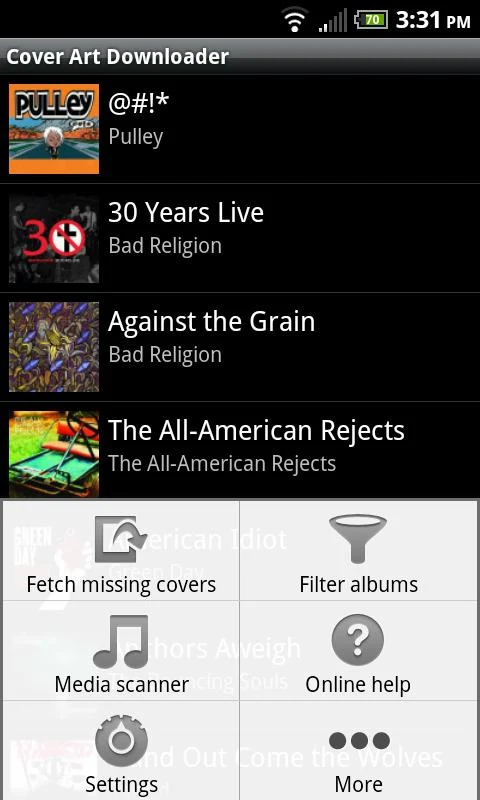
2. Cover Art Downloader :- It is a software that downloads the coverart (album art) and then you can play it in any music player,albumart will appear even the default player so its a simpler option.

                                                               Cover Art Downloader - screenshot

How to create real Abs using Android

12:36 AM

Yeah! you saw it right, in this post I will tell you how to create abs or reduce abdomen fat using Android.
                                                         Introduction
Nowadays we are so busy that we don't have time for physical exercise.Like I'm 15 and study in 10th standard so I wake up at 7 in the morning,go to school and return at 3 p.m then at 4 p.m. i go to tuition and return at 7 p.m. so when I get free I dont have enough energy left in me to work out.Same is the case with everybody,no one has enough time also these gadgets have almost stopped the physical games so I found a software that will take only 5-10 minutes of your precious time and also will help you loose abdomen fat and if you already have a low fat it will help you create abs.
                                                     About the Software
So the name of the software is Abs workout and is created by "Caynax" you can download it from Here.
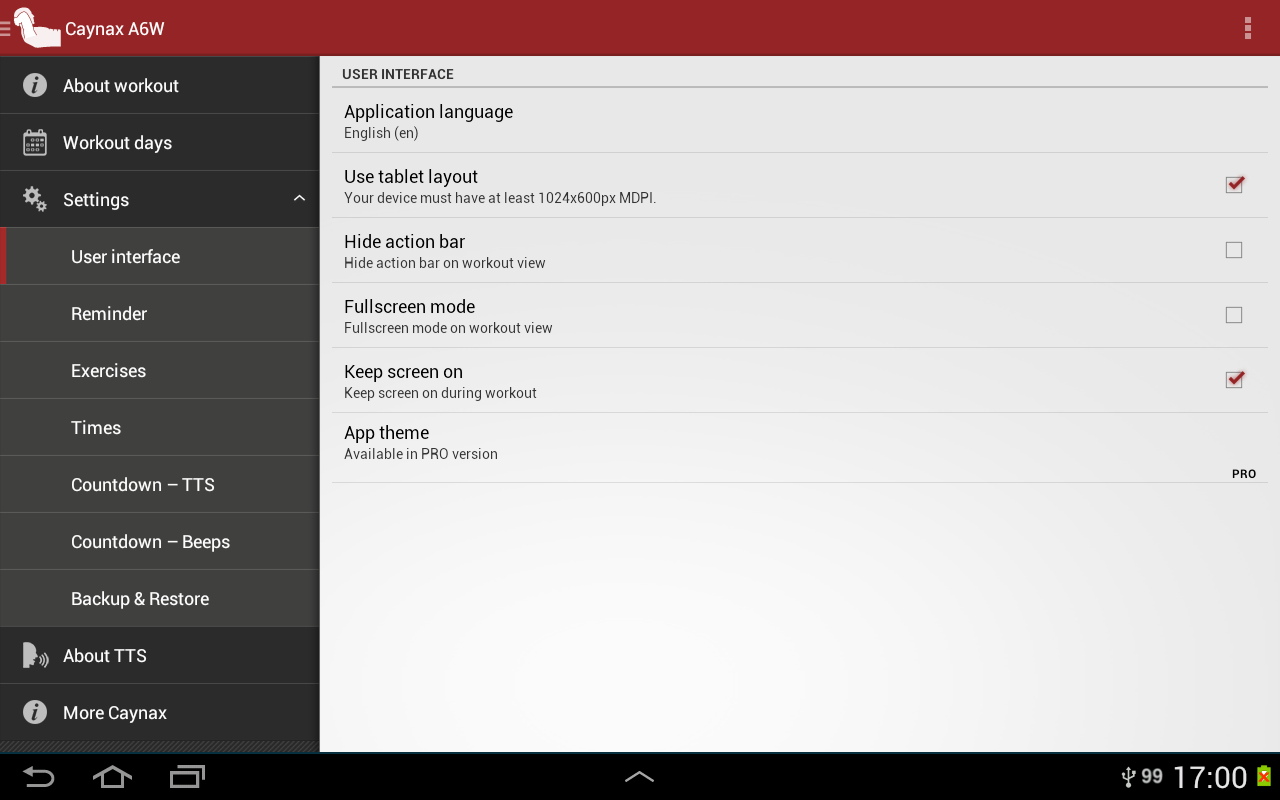
Its a small app so it wont take much of your phone memory.It starts from light to heavy workout as you move on.It takes approximately 42 days to get you in the right shape.Also you can go and change several settings that you will see after swiping from left to right.

Abs workout - screenshot


                                                               How to use this Software
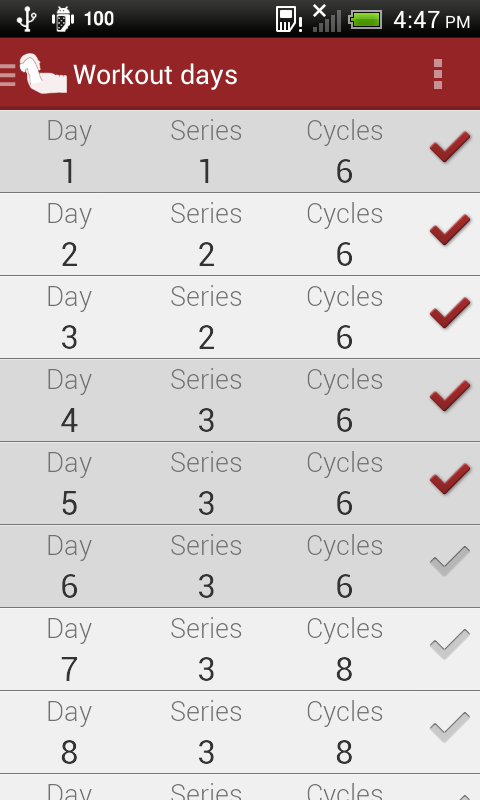
So when you will open it and do all the customisation you will see a kinda calender from day 1 to 45. As you can see in the picture below
Abs workout - screenshot

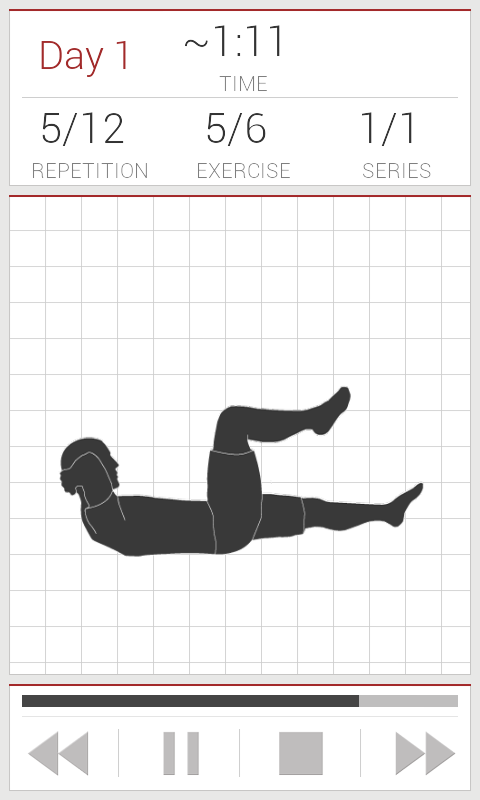
Like when you're using it first time click on the first option do as recommended by it because if you directly jump from exercise of day 1 to day 5 it may cause heavy aches on your body because the body is not used to such things but if you increase step by step its cool.So as you complete exercise of one day the tick will appear and just keep doing these regularly.When you click to any day that you can see in the picture an animated video with audio will start and will give you the instructions about how to do, what to do, when to rest etc.
Abs workout - screenshot

After each exercise you get a 10 seconds break to relax so everything is systematic.All you have to do is lay down and stick your Android phone somewhere you can see the video running and hear the audio. That's it now just be regular and try to gather some time for your health. After 42 days you can download the next edition of this software from Google Play it's name is Abs workout 2 of Caynax.

How to go to secret menus in Sony Xperia

7:05 AM

Today i will be telling how to go to 4 secret menus in your Sony Xperia and also what you can do there.
Dial the codes in the dialer of your Xperia.

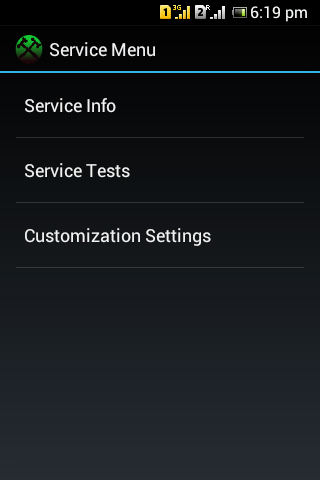
1.Service menu:- In this menu you will find 3 options 
  •  Service Info :- In the Service Info you can check various information regarding your phone like Model Info,Software Info,Configuration etc

  • Service Tests :- In the Service tests you can test whether your phone is working properly or not.You can check Touchscreen,Display ,LED ,Speaker,Microphone etc
  • Customization Settings:- And you can reset Customization using Customization                     Settings.

Code-  *#*#7378423#*#*

2.Testing Menu:- In this menu you will find 4 options
  • Phone Information:- It is a ping test that shows basic some information about your phone.
  • Battery Information:- It shows the condition of the battery at present.
  • Usage Statistics:-It shows the Usage Time of all apps.
  • WiFi Information:-It has some information regarding WiFi.

Code- *#*#4636#*#*

3.GTalk Service Monitor:- Here you will see some information of your phone like                                                                                   RawStanzaProviders,Connection stats,wakelocks,Heartbeat etc.Also you can                                               send the heartbeat to server.


Code- *#*#8255#*#*

4.IMEI :- It displays IMEI number of your phone.


Code- *#06#

How to open notification bar while using an app,game in Android

11:26 PM

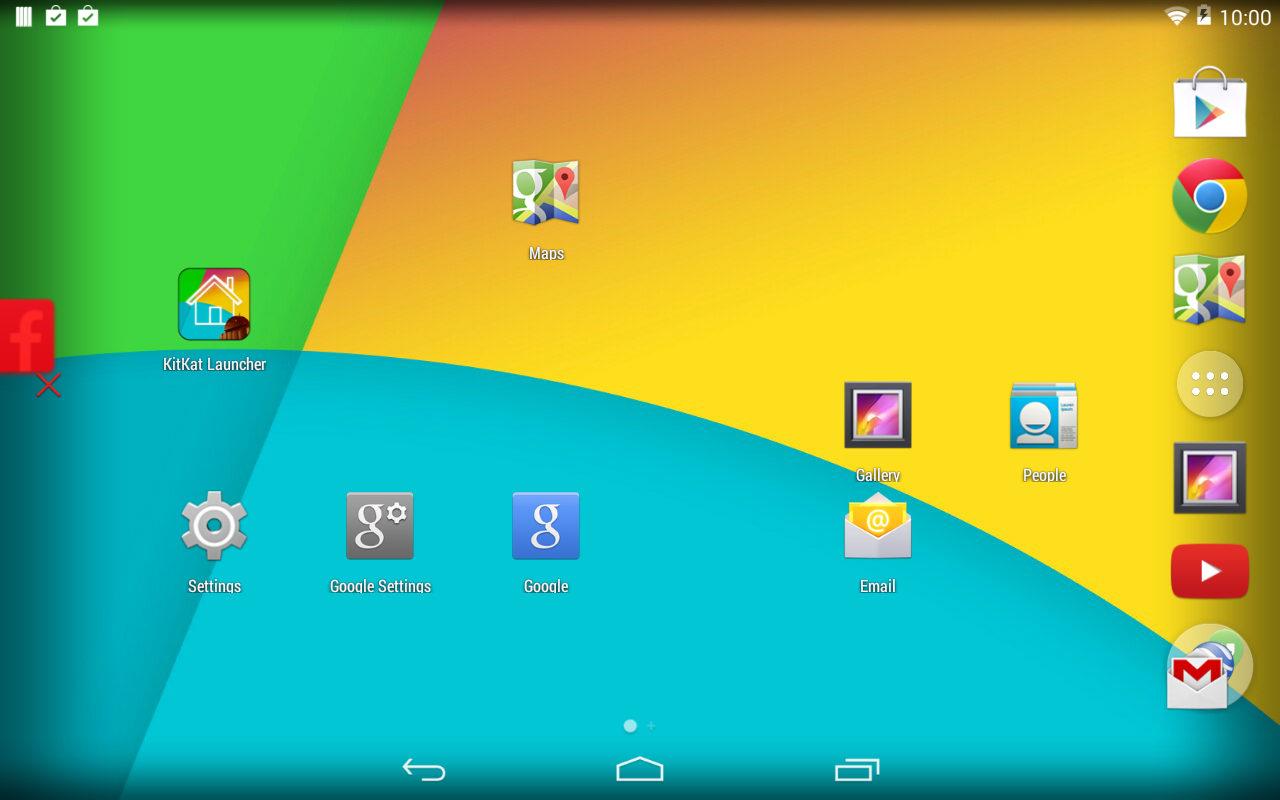
In Android versions that are less than 4.4 i.e KitKat you can't open notification bar while playing a game or using an app that covers whole of the screen.This post is about opening notification bar while playing a game,using app.Its a simple process.Just follow the steps
  • Download KitKat Launcher Prime from HERE
  • Install it.
  • Open the KitKat launcher and if you like it,keep it as your default launcher or change to the previous launcher but first you have to open it.
  • You will notice that you'll see that when you will open the KitKat launcher there will be no notification bar.It is transparent.
                                 KitKat Launcher - screenshot
But when you will swipe down from top,notification bar will come.So while playing any game just swipe down and notification bar will come 
And if you continue using older launcher you will see the normal notification bar but still if you swipe down playing a game,notification bar will come down.

Agent Dash diamonds hack (Android)

2:52 AM

Most of us like to buy all accessories on games like Agent Dash,Temple Run, Subway Surfers etc but we don't want to waste our time by playing that game whole day.So today I will be showing how to increase gems,diamonds,coins whatever you say in Agent Dash.So you need 3 basic things 


  • An Android phone
  • Agent Dash
  • Game Guardian
You can download Game Guardian from Here.
So you need to install both Agent Dash and Game Guardian
                                 

So first we have to open Game Guardian and when you will tap on its icon you will see something translucent on centre of your screen as shown in picture below.
                                       
Then open Agent Dash and play a game and after you will loose go to the main screen where it says "Retry".
                                                          
Like in the picture it has 4587 diamonds when you'll reach there tap on the Game guardian icon on centre and search for amount of coins you have .If you got  few results like 5 or 6 long press them and change the value to amount you want like 99999999 and press ok. But if you got lot of results in game guardian search keep playing the game and keep searching for the coins (like if 30 gave lot of results earn more coins and suppose you now have 55 search for it).

How to unlock pattern in an Android phone (Android version 2.3)

1:45 AM

Many of us like to keep our phone locked,just for privacy.We don't want others to use our phone and stuff but many people forget the pattern,password they set and then they have only one option left and that is Google account login But what if you forgot that too !! Or you are not connected to internet that time :(
So today I will be telling how to unlock the device.
Note:-  I've tested it only at Android version 2.3 i.e. Gingerbread but you can try it on any of the version if you're lucky it might work because I'm not sure that it doesn't works on other versions or not.
 
This would wipe off all the stuff you have in your device but would unlock it.
 So to get your phone unlocked just follow the steps:-
  • Switch off the phone
  • When it's switched off press volume up button then simultaneously press home button and at last holding both (volume up and home) press Power on button. Don't release the buttons. [ if volume up doesn't work try volume down button]
  • Then you'll reach a secret factory mode.
                                             
  • There navigate ( through volume up or down button ) to clean /wipe factory flash or factory reset or anything similar to that and then press Home button to select it.
  • Then your phone will restart and probably now the lock's gone :)

How to install custom rom in Xperia tipo

11:02 PM

What are Custom Roms ?

Custom Roms are a kind of firmware that help you to install greater Android version in your phone.Like even if your phone doesn't have an ICS ,jelly bean update you can install custom rom and enjoy the new version of Android. This tutorial is about how to install these roms on Sony Xperia tipo. (may work on other Xperia of 2012).

Requirements 


All you need is 
 Click Bootloader unlocked above and unlock your bootloader first then root the phone
If already done that download Android SDK. 

Once everything is done proceed to next step

Getting Phone ready
Open clockworkmod recovery and create backup of your apps on External Sd card.Then download any Rom .It will be in rar file so first open it and extract "Boot" file only and keep it on your computer and now put the rar file in Internal Memory of your phone.Now Switch off the phone and connect the usb with computer (not with phone just with pc) and then hold volume up button and connect phone to usb. You will see a blue led glowing.

Installing Rom
When the phones in fastboot mode ( blue led glowing) Copy the Boot file you extracted to Platform tools of Android SDK. Now go to platform tools ,Keep pressing shift and right click on any place in the folder.Then click open command prompt here. There type fastboot flash boot boot.img and press enter.
When it completes type Fastboot reboot  . Wait for some time and blue led will turn Pink for few seconds Just at that time keep pressing Volume up button . Now you are in Recovery mod  [select using lock key.]
First go to wipe data/factory reset. Then go to advanced and wipe davlik cache.
Then go to flash zip from sd card and select the rar file. Now after installation is finished your phone will take some time to start during first time but then it will be normal.

How to transfer app from bluetooth

1:13 AM

Many times you see an interesting app in your friends mobile and you think that oh ! its nice i will also download it.But if you people have a slow net then its a bit slow and in today's world no one have enough time that he would wait for download.So... why not directly take it from your friend's phone through blue tooth.Confused? Don't worry I'll tell how to do it.

Firstly you have to download an app called Blue tooth app sender. It's an "apk" file so first install it in your phone And Don't Delete this file , store it in you ext sd or internal memory. Now if you wanna transfer an app , send this "apk" file to your friend's phone and install it.

Now open the app and type the name of required app in search bar,then click it and then it will ask how you want to share this file.Click on blue tooth and that's it ! now app will be send to your phone.

How to video chat using back camera

1:22 AM

In many phones there's no front camera and they think they couldn't video chat and many software doesn't allow video chat using back camera.But now you might have heard about We Chat.It allows you to video chat using back camera.

How to?
Open friend at we chat and press the + button there you will find written Video Call click it then press start video call Thats It ! now you can video chat.

Note : Both users should be using Wifi or 3G to video chat


How to put app data in external sd card

1:10 AM

Earlier i have written a post that helps in installing apps to external sd card (POST).It  works but it only sends the apps to sd .Games like temple run,agent dash,subway surfer,small racing games can be transferred to sd who are low in size approximately below 50MB that doesn't requires extra stuff to download But their are games like need for speed,real racing,Virtua tennis who have size above 100Mb , the apk of these apps/games are of 6-10Mb only but when you open it there is a notice that you need to download extra files to run it these files are very heavy and cant be transferred using the old link to sd trick. For that you need a software called folder mount . Download from official thread or click here. It requires Root

                       
How to use
Click the plus icon you can see in the first image and the second image will come on the screen.Type name of the app and click below source and select the folder.It will say that can it automatically transfer it to ext sd source click yes and press the tick and your folder will be moved in external sd.

Tip
Many times if you do this the game says that you need to download the extra files if that comes check the Name that you put in second image.When i was moving Virtua tennis files the same happened with me ,then i changed the name "Virtua Tennis" to "virtua tennis" (all in small) then it worked but in frontline commando i had to type the first letters in capital.
So if it in any app doesn't worked then put the folder from ext sd to its original folder.You can comment if you are having any problem

thanks

How to unbrick hard bricked Xperia

3:37 AM

                                                             My Experience
I am having a Sony xperia tipo and i by mistake bricked it! I searched on Google that how to unbrick it .Every website had the same answer download flashtool and install the firmware but how could i do that as since my xperia was hard bricked even Sony logo was not coming.When i used Sony pc compainion and clicked repair it was also not helping it gave a message that it contains modified software.So after all the experiments i found a way to unbrick it.

                                                            Requirements
To unbrick the Xperia (any) you need
USB,Flashtool,Sony pc companion or Update Service(Sony)
Flashtool is not required if you phone's bootloader is not unlocked.

                                                               Procedure 
Don't follow the starting steps if your bootloader ain't  unlocked .
Keep pressing volume down button and then connect your phone with usb cable already inserted in pc.If green light didn't lit at first try,remove the battery and reinsert it and try again.
Now open the flashtool and click unlock bootloader(even its unlocked) it will say that unlocked then gain do the same then you will see a button where it will be written "Relock" click it and now your bootloader is locked.
                             

Now people will locked bootloader should also follow the steps
Pc companion :- Unplug your device and open the pc companion  and click Support zone
Then click update software then click repair my phone then follow the steps and it will ask you to select your phone then after installing the new software your phone will start running.

Update Service :-accept the agreement , click next and it will ask you to select your phone and then press volume down button and connect your phone at the same time with usb click next after installing original firmware your phone will be running.

Please follow me on soundcloud if it helped LINK

Bsnl Wifi not working Solved.

1:41 AM

When i bought my first phone my wifi was not running , just wifi signal was coming but was not able to access the net.I searched a lot but didn't found a solution.But this is a solution for those who are having only BSNL modem and in their phone wifi signal is appearing but net is not running.

Some things you need to check:-
  • You have BSNL modem with an antenna 
  • In modem WLAN light is on
  • Phone supports wifi
If all the above things are Ok then proceed to the following steps
  1. Open http://192.168.1.1/  it will ask for username and password write " admin " in both blanks.
  2. In the left side you will see Advanced settings option click it.
  3. Click the edit you see on the first line 

    4. Click next and then select  PPP over Ethernet(PPPOE) click next and type your username and password and in service name type Bsnl.

    5. Click next--> next --> save. Then click save/reboot.

    Now you dont have to click the broadband connection then connect etc whenever you will open your pc your internet will be connected just open browser and use net and wifi will also be working

    If any problems comment 


What is root of SD card

6:52 AM

In many websites you may have seen that download this file and put it in the root of your SD card.Many of you might think that it is related with Rooting of your Android device or when we root the phone a folder "Root" is created in your SD card but no it doesn't means that at all.It simply means that you have to copy/move that file in SD card but not by creating any folder you just have to put that file in the main page of your SD card.So that's what Root of SD card means!


Best phones under Rs 15,000

8:21 AM

Today I will give my views on some best Android phones under Rs 15,000.I'll categorise them by their brands so that you can choose from your desired brand.

 Sony

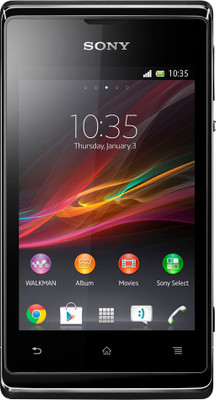
1. Sony Xperia E :- This phone is just Classic! I really love this smart phone it has some amazing features and is about Rs 9500 in price.
                                                  Buy Sony Xperia E
Main Specifications
3.2Mp back camera,4.1 Android,1 Ghz processor,3.5 Inch capacitive screen,512 MB ram,4 GB internal memory etc.
The only drawback is that it doesn't have a front camera otherwise if you have a low budget is superb.

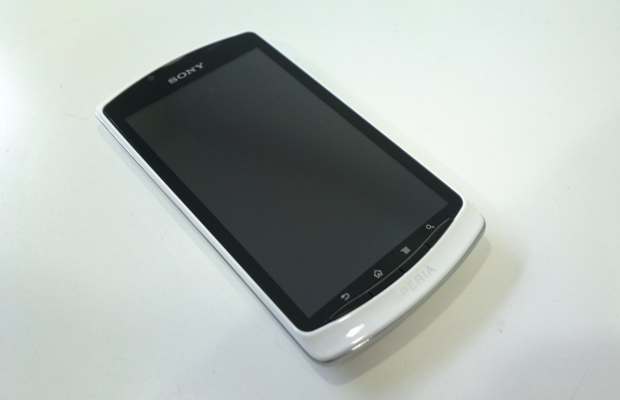
2. Sony Xperia Neo L :- This phone costs Rs 13,000 but it worths that price
                           
                                    
Main Specifications 
5MP back camera,0.3MP front camera,Android 4.0,4 Inch screen,1Ghz processor, Internal memory 301MB but includes 2GB card,512MB ram etc
It too has a drawback and it is its internal memory.

3. Sony Xperia J :- This one costs Rs 14,000 but it too is very nice also it has some cool specifications
I am impressed by it's looks.Its very slim and sleek.
                                                        Buy Sony Xperia J
Main specifications
5 MP back camera,0.3Mp front camera,4.0 Android,1GHz processor,4 Inch screen,512MB ram,4GB internal memory etc.

Samsung 

1. Samsung Galaxy S  advance :- Its is just superb thats what i want to say about this phone and is only of Rs 13000
       

                                                           Buy Samsung Galaxy S Advance i9070: Mobile
Main specifications
5Mp back camera,1.3Mp front camera,4.0 Android,1Ghz dual core processor,4 Inch screen ,16 GB internal memory.

2 Samsung Google Nexus S:- The names Google and Samsung itself tells about the quality of this phone. It costs Rs 13,000- Rs 15,000.

                                                
Main specifications
16GB internal memory,2.3 Android,5Mp back and 0.3Mp front cameras etc.

HTC 
HTC Desire and Explorer and wildfire are some low budget phones of HTC but they are not able to compete with the above phones. Htc can provide you good phones but at high budget.

Micromax
1. Micromax Canvas HD :- Only at Rs 14,000 you can get this high end device.

                                                        Buy Micromax Canvas HD A116: Mobile
Main specifications 
4.1 Android,8MP back and 2Mp front cameras,1.2 Quad core processor,5Inch screen,2GB internal storage,1Gb ram etc.

2. Micromax Canvas 2 :- Price 10,000

                                                        Buy Micromax Canvas 2 A110: Mobile
Main specifications
4.0 Android,8MP back and 0.3 front cameras,1GHz dual core processor,5inch screen,2GB internal,512MB ram etc.

Karbonn titanium s5 is also a good phone.

How to create backup of your apps

6:47 AM

Today I will be telling  how to create Backup of your apps in two ways, for both rooted users and un rooted users.

In Android one wants to download custom roms ,root his device and do other interesting but Dangerous stuff.So it's necessary to create backup so that if your phone got damaged you can later recover the apps once its repaired.Because all of you know that if all apps are deleted then we have to download all them again and in today's world no one have enough time for that.So here's two steps to create a backup.

Note:-Both works for rooted users but only 1st for users who still not have rooted their device.

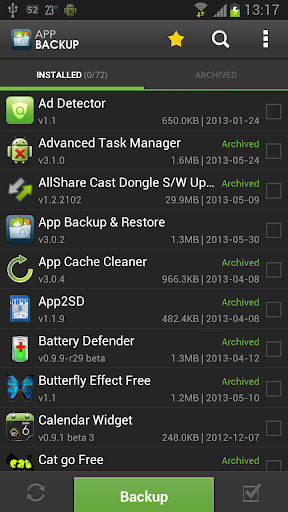
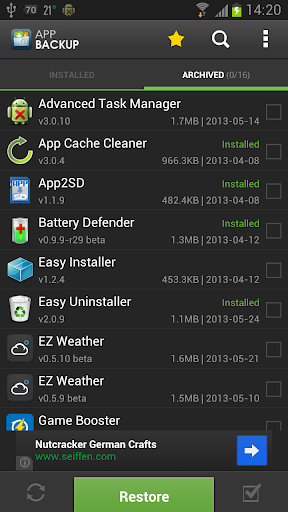
1. App backup and Restore :- There's an app called App Backup and Restore download it from play store it's free.There you can see two kinda dissociation a) Installed b) Archived .
In install you can find all the installed apps and in archived the apps of whom you have created backup.It makes backup on Ext Sd card so that also if you phone's storage gets formatted backup stays at ext Sd card.

Backup- Making backup is very easy just select apps from "installed" of whom you want to make a backup of after selecting click backup.

Restore- If your apps are deleted then install the app from play store and there you will find all the apps of whom you have created a backup of . Select all and touch backup ,you will find setup of all the apps will start opening one by one.


2. Clockworkmode recovery :- Second one is through clockworkmode recovery.You should have clockworkmode recovery installed in you phone you can take help of Google in installing clockworkmode recovery in you phone (if having problem comment with phone's name) .
Now boot into clockworkmode recovery go to backup and restore-->Backup to external Sd card.
That's it!
Now if you wanna backup to internal storage then you have to save that backup file in you pc otherwise you can face problems.


Google introduces "Hangouts"

12:26 AM

Hangouts (replaces Talk)
Google keeps updating with its new ideas and innovations to improve their services.Now Google has made a new chat app named "hangouts"